KryptonProgressBar ✓ LCode 已集成 Toolkit
命名空间:Krypton.Toolkit · 程序集:Krypton.Toolkit.dll
简介
KryptonProgressBar 是增强型进度条控件,替代标准 System.Windows.Forms.ProgressBar。它以 Krypton 主题渲染进度填充,支持块状(Blocks)、连续(Continuous)、滚动块(Marquee)三种样式,可自定义进度颜色与数值文字,用于展示任务完成度、下载/导入进度等。
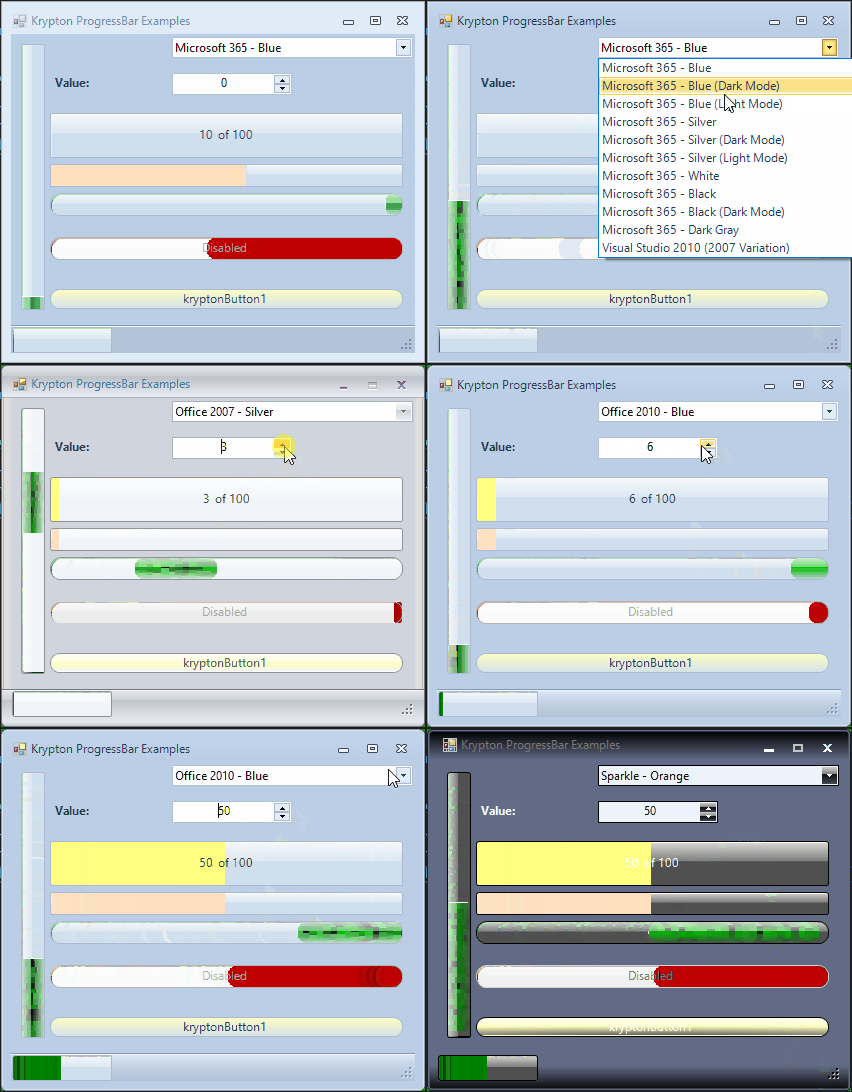
常用属性
| 属性 | 类型 | 说明 |
|---|---|---|
Value | int | 当前进度值 |
Minimum | int | 进度最小值(默认 0) |
Maximum | int | 进度最大值(默认 100) |
Step | int | PerformStep() 每次递增量(默认 10) |
Style | ProgressBarStyle | 样式(Blocks / Continuous / Marquee) |
MarqueeAnimationSpeed | int | Marquee 滚动动画速度(毫秒) |
Orientation | Orientation | 方向(Horizontal / Vertical) |
StateCommon.Back.Color1 | Color | 进度条轨道背景色 |
StateCommon.Content.Back.Color1 | Color | 进度填充颜色 |
StateCommon.Border.Color1 | Color | 边框颜色 |
StateCommon.Content.ShortText.Color1 | Color | 数值文字颜色(显示百分比时) |
快速上手
基本用法
using Krypton.Toolkit;

var progress = new KryptonProgressBar();
progress.Location = new Point(16, 16);
progress.Size = new Size(300, 24);
progress.Minimum = 0;
progress.Maximum = 100;
progress.Value = 0;

this.Controls.Add(progress);

// 模拟任务进度
for (int i = 0; i <= 100; i += 10)
{
    progress.Value = i;
    Application.DoEvents();
    System.Threading.Thread.Sleep(100);
}
使用 PerformStep 递增
progress.Step = 5;  // 每步 +5

foreach (var file in files)
{
    ProcessFile(file);
    progress.PerformStep();  // Value += Step
}
进阶用法
Marquee 不确定进度
// 无法预估进度时使用滚动块动画
progress.Style = ProgressBarStyle.Marquee;
progress.MarqueeAnimationSpeed = 30;  // 30ms 刷新一次

DoSomethingUnknown();

// 完成后恢复
progress.Style = ProgressBarStyle.Continuous;
progress.Value = progress.Maximum;
自定义进度颜色
// 填充色使用主题绿渐变
progress.StateCommon.Content.Back.ColorStyle = PaletteColorStyle.Linear;
progress.StateCommon.Content.Back.Color1 = Color.FromArgb(45, 212, 191);
progress.StateCommon.Content.Back.Color2 = Color.FromArgb(15, 118, 110);

// 轨道浅底
progress.StateCommon.Back.Color1 = Color.FromArgb(240, 253, 244);
提示:在后台线程(BackgroundWorker / Task)更新进度时,请通过
Invoke 回到 UI 线程再修改 Value,避免跨线程异常。
对应示例项目
📁 Source/Krypton Toolkit Examples/KryptonProgressBar Examples/
包含:三种 Style 对比、Marquee 动画、进度颜色自定义。