KryptonMonthCalendar ✓ LCode 已集成 Toolkit
命名空间:Krypton.Toolkit · 程序集:Krypton.Toolkit.dll
简介
KryptonMonthCalendar 是增强型月历控件,替代标准 System.Windows.Forms.MonthCalendar。它完整展示一个月(或多个月)的日历网格,支持单选/范围选择日期、加粗显示特定日期、限制可选范围,常用于排班、预订、日程总览等需要直观浏览日历的场景。
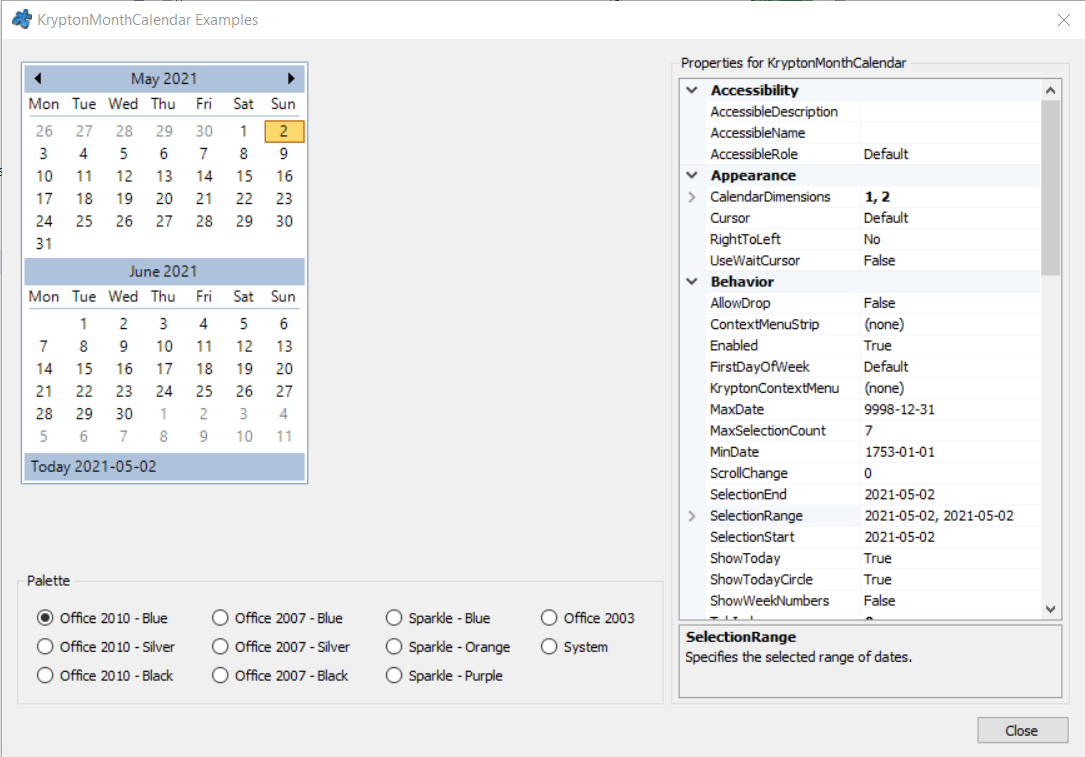
常用属性
| 属性 | 类型 | 说明 |
|---|---|---|
SelectionStart | DateTime | 选中范围的起始日期 |
SelectionEnd | DateTime | 选中范围的结束日期 |
SelectionRange | SelectionRange | 选中日期范围对象 |
TodayDate | DateTime | 「今天」的标记日期 |
MinDate | DateTime | 允许选择的最早日期 |
MaxDate | DateTime | 允许选择的最晚日期 |
MaxSelectionCount | int | 一次最多可选的天数(默认 7) |
CalendarDimensions | Size | 显示的月历行列数(如 2×1 并排两个月) |
ShowWeekNumbers | bool | 是否显示周序号列 |
FirstDayOfWeek | Day | 每周第一天(Monday / Sunday 等) |
ShowToday | bool | 底部是否显示「今天」提示行 |
StateCommon.Back.Color1 | Color | 日历背景色 |
快速上手
基本用法
using Krypton.Toolkit;

var calendar = new KryptonMonthCalendar();
calendar.Location = new Point(16, 16);
calendar.TodayDate = DateTime.Today;
calendar.SelectionStart = DateTime.Today;

// 选中日期改变事件
calendar.DateChanged += (s, e) =>
    Console.WriteLine($"选中:{calendar.SelectionStart:yyyy-MM-dd}");

this.Controls.Add(calendar);
范围选择
// 允许一次最多选 30 天
calendar.MaxSelectionCount = 30;

calendar.DateSelected += (s, e) =>
{
    var start = calendar.SelectionStart;
    var end = calendar.SelectionEnd;
    int days = (end - start).Days + 1;
    Console.WriteLine($"已选 {days} 天:{start:d} ~ {end:d}");
};
进阶用法
加粗显示特定日期
// 加粗节假日/有日程的日期
calendar.AddBoldedDate(new DateTime(2026, 10, 1));   // 国庆
calendar.AddBoldedDate(new DateTime(2026, 10, 2));

// 批量加粗后刷新显示
calendar.UpdateBoldedDates();

// 取消加粗
calendar.RemoveBoldedDate(new DateTime(2026, 10, 1));
calendar.UpdateBoldedDates();
并排显示多个月
// 横向并排显示 3 个月
calendar.CalendarDimensions = new Size(3, 1);

// 显示周序号、周一作为每周第一天
calendar.ShowWeekNumbers = true;
calendar.FirstDayOfWeek = Day.Monday;

// 限制可选范围为本年度
calendar.MinDate = new DateTime(DateTime.Today.Year, 1, 1);
calendar.MaxDate = new DateTime(DateTime.Today.Year, 12, 31);
提示:表单中只需录入单个日期时,KryptonDateTimePicker 更省空间;KryptonMonthCalendar 适合常驻展示、需要总览整月或范围选择的界面。
对应示例项目
📁 Source/Krypton Toolkit Examples/KryptonMonthCalendar Examples/
包含:范围选择、加粗日期、多月并排、周序号显示演示。